Every shape you have to post in
One clip, filmed once, usually has to go out in three different shapes. Croppy reframes it for each without re-shooting and without letterboxing.
- 9:16
- Tall video: Reels, Shorts, TikTok, Stories.
- 4:5
- The tallest a feed post is allowed to be.
- 1:1
- Square, for feeds and previews that crop to it.
- Anything
- 16:9, 21:9, or a ratio you add yourself.
Mark the subject. Croppy follows it.
Draw a box round the person and press Generate. Croppy tracks them through the clip and turns their path into ordinary keyframes — so anything it gets wrong, you fix by dragging, not by starting again.
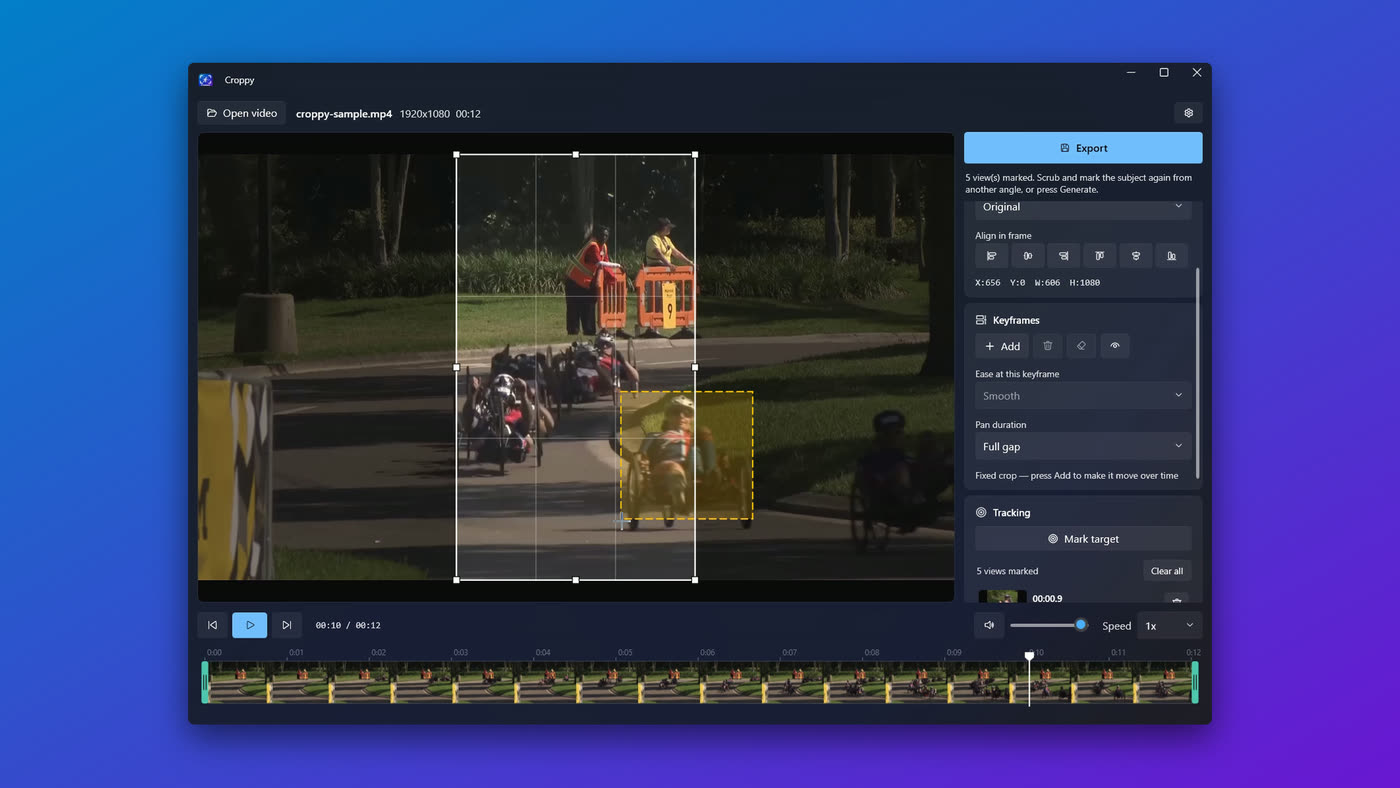
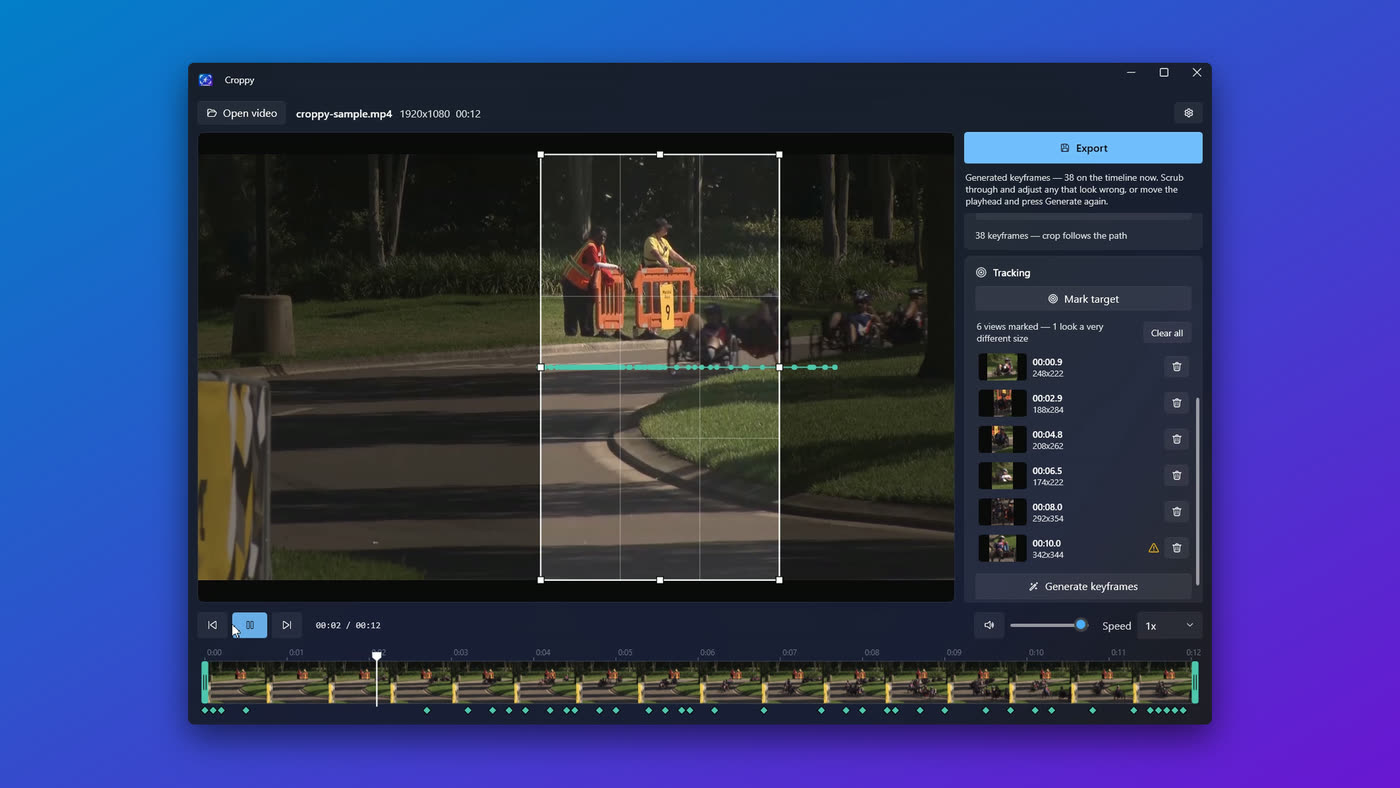
Or do it by hand.
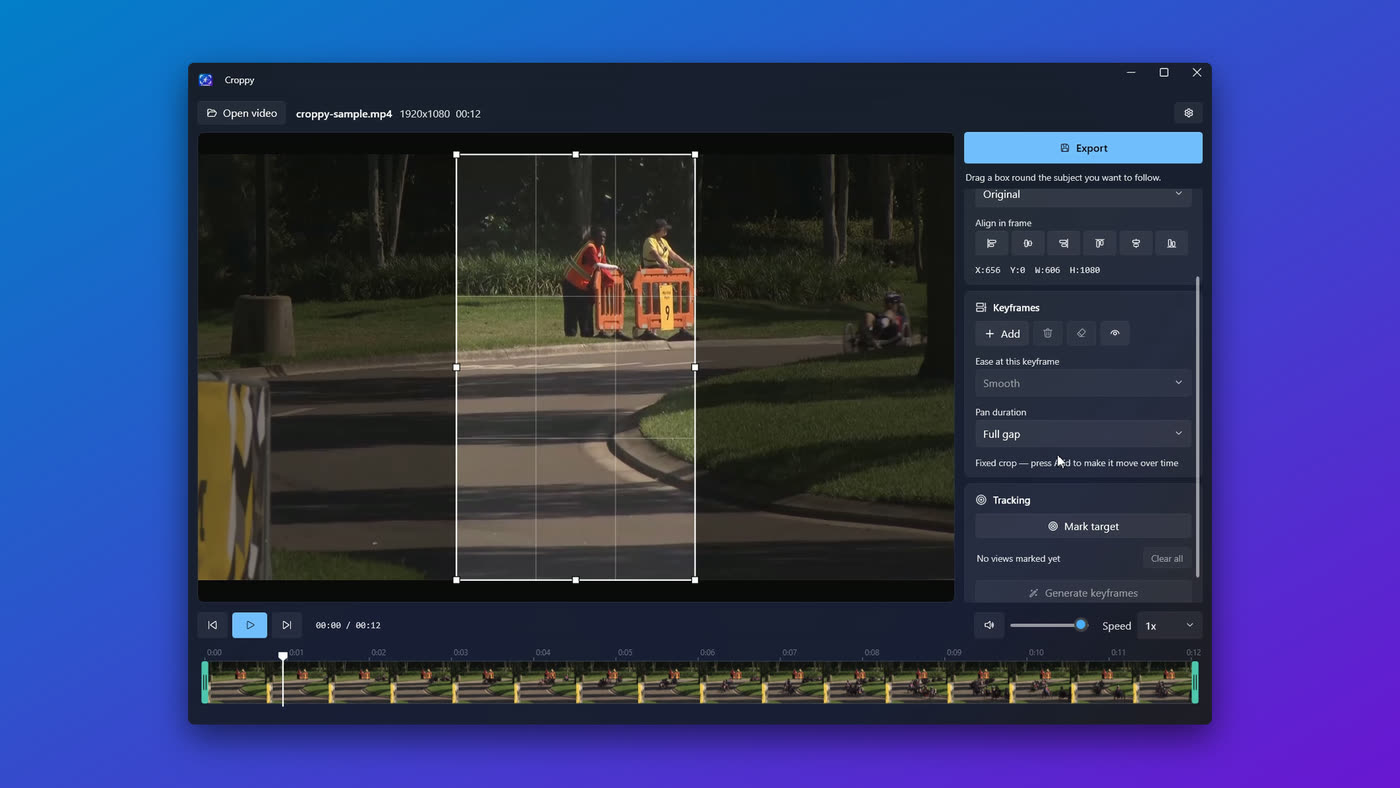
Place a keyframe, scrub, move the crop, place another. Croppy pans between them, arriving exactly on each one. Set how long each move takes, or hold position and cut.
Playback walks the crop along the timeline as it plays, so a pan is visible in place — you never render something just to find out whether it works.
The audio, without another tool.
A crop is only half the file. The clip usually arrives with sound you do not want as it is — a room that was too loud, wind over the voice, or a bed of noise better dropped altogether. That is normally the point at which a cropping app hands you back to a video editor.
Croppy draws the source audio as a waveform under the filmstrip, so what the export will carry sits beside the picture it belongs to. It dims outside the trimmed span like the frames above it, and says on itself when the level has been changed or the track dropped.
Drop the track, or set its level, in the Audio panel — beside the other properties of the output rather than beside the player. The preview plays at the export level, so you hear the decision instead of checking it afterwards.
Leave the level alone and the original audio is copied through untouched. Change it and Croppy re-encodes to AAC — and says so before you export, rather than after.
Everything else
- Any ratio
- Presets for 1:1, 9:16, 4:5 and 16:9, your own added in Settings, or drag any rectangle you like.
- Placed exactly
- Six alignment buttons for the edges and centres that dragging can get near but never land on.
- Trim and scale
- Cut the ends off before exporting, and scale the output anywhere from 2160p down to 360p.
- Phone footage lands right
- A clip can be stored 1920×1080 and shown 1080×1920. Croppy measures the crop against the frame you can see, not the size the file claims.
- It opens what you give it
- When Windows cannot decode a file, Croppy falls back to frames from ffmpeg and you carry on scrubbing. Nothing fails to open.
- Exports on your GPU
- Croppy finds the encoder your machine can actually run — NVIDIA, AMD or Media Foundation — by trying them, and steps down rather than failing.
- Proper transport
- Frame-by-frame stepping, playback from 0.25× to 4×, and a filmstrip you can scrub.
- Open it however
- Drop a video on the window or pick one, and Croppy comes back to the folders you used last time.
- Your source is safe
- The original file is never modified; every export writes a new one you choose. Cancel halfway and no half-written file is left behind.
What it doesn't do
No account. No subscription. No watermark. No upload — your video never leaves the machine, and there is no code in Croppy that could send it anywhere: the ffmpeg it ships with is built with networking compiled out, so the installed application has nothing in it that can open a socket.
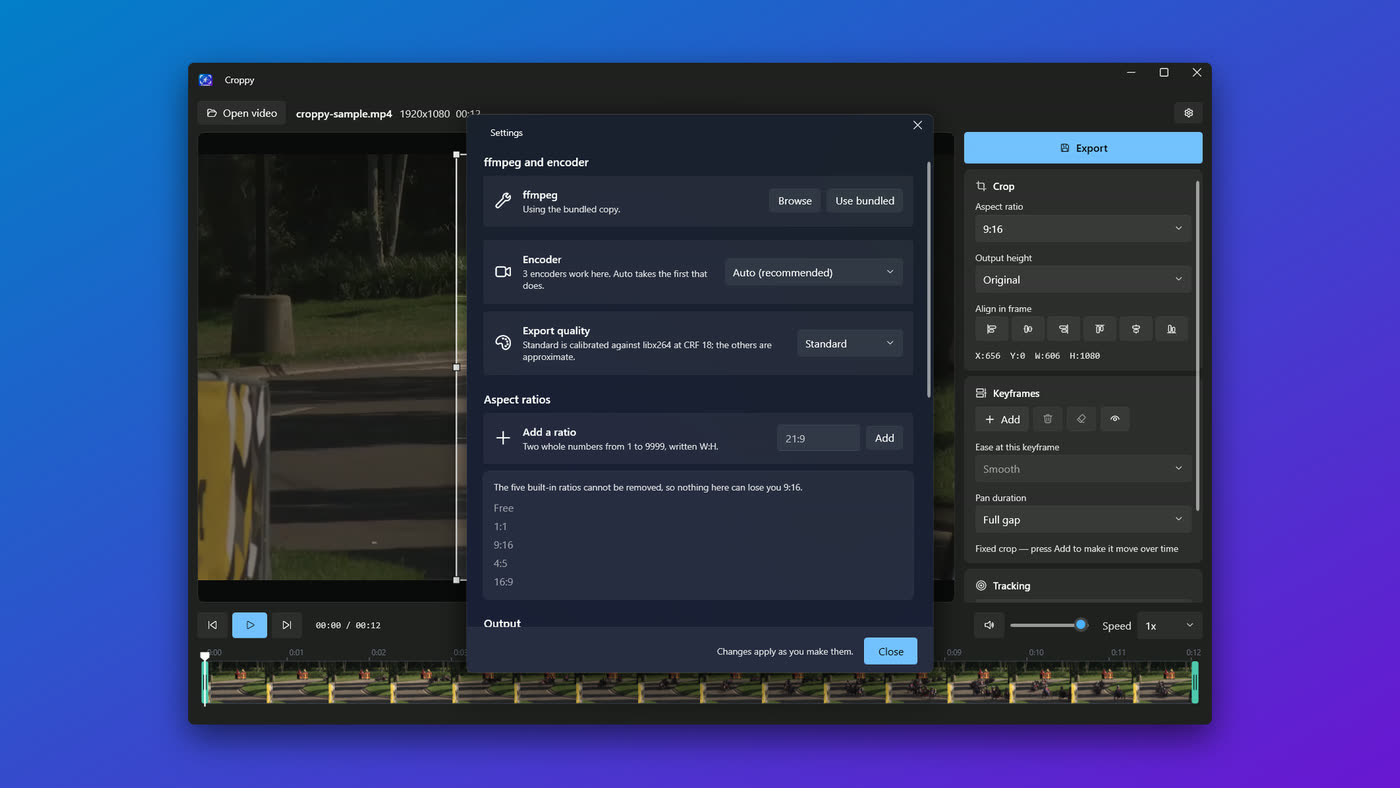
And it stays out of the way
Croppy follows your Windows light or dark theme and your accent colour. If you would rather it used an ffmpeg you installed yourself, point Settings at it and that one wins.